At some point, every SEO manager hits the same wall.
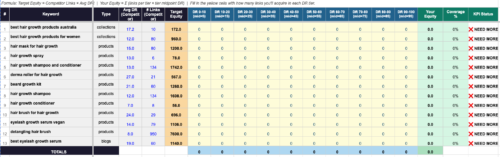
You’re managing multiple clients. Each one has their own Google Sheet for tracking keywords, tasks, content, and reporting. Each team member – writer, junior SEO, link builder – has their own version of that sheet. Sprint reviews mean opening six tabs and manually reconciling what’s done, what’s overdue, and who owns what.
It’s not a system. It’s just organized chaos.
I managed 40+ SEO clients across different industries – healthcare clinics, SaaS products, real estate agencies, beauty brands. The spreadsheet approach worked until it didn’t. The breaking point was reporting week: pulling numbers from eight different sheets, cross-referencing with task lists, figuring out which team member was responsible for what. It was taking longer to report than to do the actual work.
So I stopped trying to fix the spreadsheets and built something different in Notion.
Why Notion and not a proper project management tool?
Why I built a Notion template for SEO agency work specifically
The honest answer: I already knew Notion from a previous job.
I’d used Basecamp and Trello before that. Both are fine for simple task lists – but neither gave me the relational structure I needed across multiple clients.
(Maybe I wasn’t using them to their full potential. Either way, they weren’t built for what I was trying to do.)

Regarding Notion, I’d seen it used for basic task tracking and thought – if the database structure is flexible enough, it could handle something more complex. Multi-client sprint management is more complex.
The pricing also made sense. Notion’s free plan is genuinely usable. You can add team members as guests without paying anything – they only charge when you upgrade someone to a full member. That means a small SEO team can run this entire system for $0 after buying the template.
The paid plan ($10/seat/month) adds nicer things – dashboard visualizations, Notion AI, smoother database views. But the core system works without any of that. I built it on the free plan. It stays on the free plan.
The structural advantage over Google Sheets is relations between databases. A task links to a client. A content piece links to the same client. You filter everything by those connections – no copy-pasting between tabs, no manual reconciliation across eight spreadsheets.
The tradeoff is automation. No built-in alerts when something goes overdue. The formula system surfaces that information – but you have to open the board to see it. For now, that’s fine.
The problem with every Notion SEO template I found
Before building from scratch, I looked at what was available. Most Notion SEO templates are built around one database – a task list with status columns. Some have a client page. A few have a content calendar.
None of them have a sprint system.
In SEO, a task isn’t just a task. A keyword research task in month one of an engagement means something different than the same task in month six. The context is the sprint phase: are you in kickoff, audit, strategy, content planning, link building, or reporting? Knowing the phase tells you what the task is actually for, not just what it says.
Generic task managers don’t model that. So I built the sprint taxonomy from scratch.
What’s inside the system?
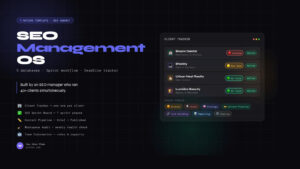
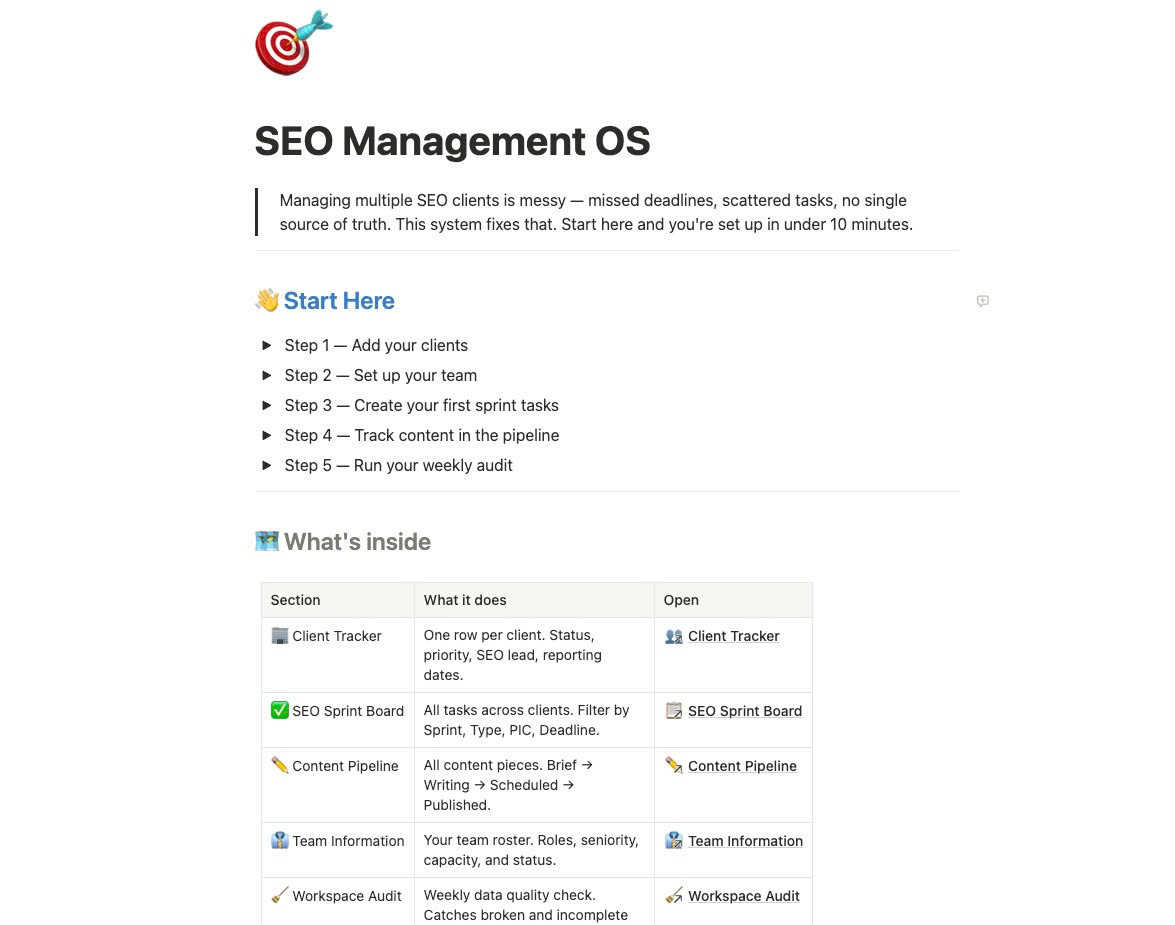
The SEO Management OS has five connected databases.
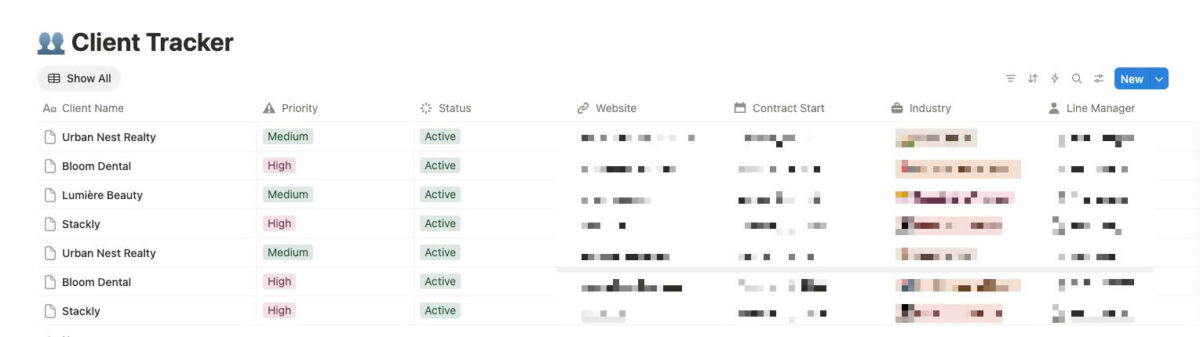
Client Tracker is the CRM layer. One row per client. It stores the basics – status, industry, website, SEO lead, reporting date, contract start. No KPI numbers here; those belong in a separate reporting database. The Client Tracker is just account-level context: who the client is, who owns them, when reports are due.
SEO Sprint Board is where the actual work lives. Every task across every client goes here. The sprint taxonomy has seven phases:
- 🟠 Kickoff – access requests, tool setup, baseline configuration
- 🔍 Audit – technical SEO, content audit, competitor review
- 🧠 Strategy – keyword research, topic clusters, positioning
- ✍️ Keyword + Content Planning – briefs, outlines, editorial calendar
- 🔗 Link Building – outreach, DR tracking, anchor planning
- 📊 Reporting – monthly report prep, client call agenda
- 🔁 Ongoing – recurring tasks, rank monitoring, optimisation
Each task also has a Type field with 18 options – Technical Audit, Keyword Research, On-Page SEO, Content Brief, Backlinks, and so on. The combination of Sprint + Type means you can filter the board to see, for example, all Keyword Research tasks in the Strategy sprint across all clients. That view alone saves an hour every planning session.
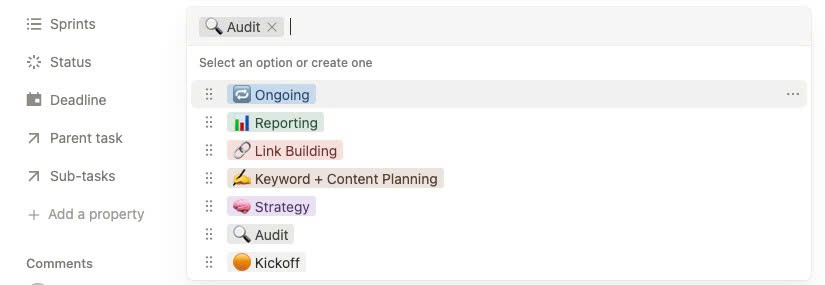
The most useful property is one I added near the end: a formula called Deadline. It checks the task’s due date against today, factors in whether the status is Done, and returns one of four values: ✅ Done, 🔴 Overdue, 🟡 Due Soon, or 🟢 On Track. Filter the board by Overdue and Due Soon every Monday morning – that’s your weekly triage list, generated automatically.
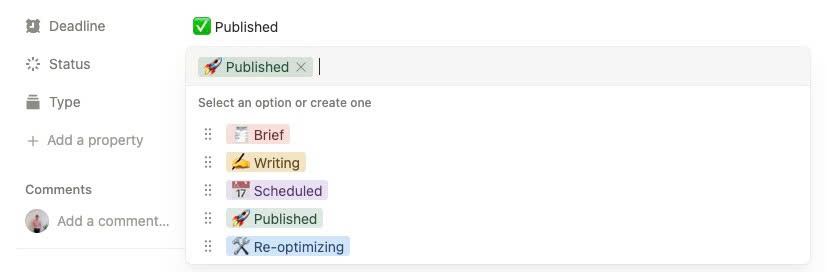
Content Pipeline is separate from tasks by design. A content piece isn’t a task. It has its own workflow: Brief → Writing → Scheduled → Published → Re-optimizing. Tracking that in the task board creates noise. Tracking it in a dedicated database – linked to the client via relation – means you can see at a glance how many pieces each client has in each stage, without digging through task lists.
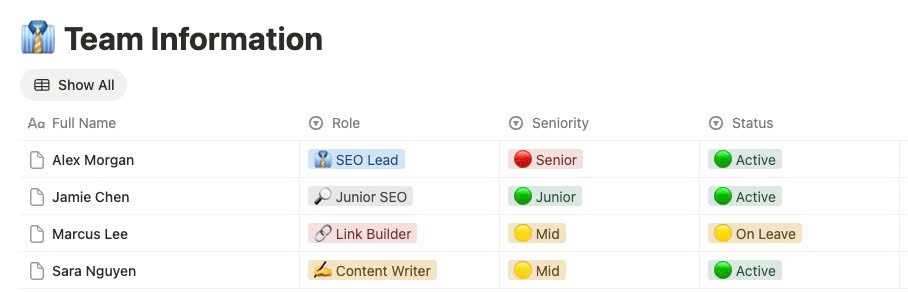
Team Information stores the team roster: roles, seniority, capacity in hours per week, status. It’s referenced in both the Client Tracker (who’s the SEO lead?) and the Sprint Board (who’s the PIC on this task?). One update propagates everywhere.
Workspace Audit is the part I’m most glad I built. It’s a page, not a database – a collection of nine filtered views of the Sprint Board, each one surfacing a different data quality problem:
- Tasks with no due date
- Tasks marked Overdue but not closed
- And so on…
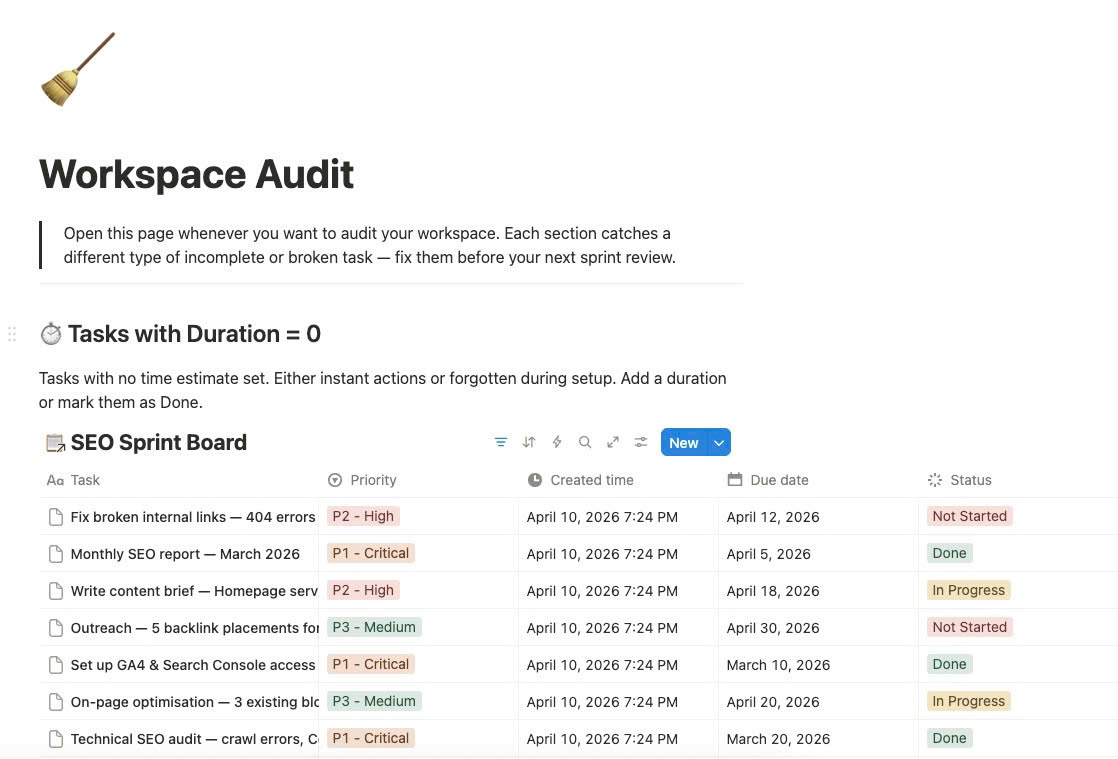
Open this page once a week. Fix what’s flagged. Takes five minutes. Prevents the kind of stale, orphaned task clutter that makes every project management system unusable after three months.
What the sprint workflow actually looks like?
When a new client signs, I create their row in the Client Tracker and immediately add a batch of tasks to the Sprint Board tagged 🟠 Kickoff. These are always the same: GA4 access, GSC access, CMS access, Ahrefs project setup, baseline rank tracking.
The Kickoff sprint is essentially an onboarding checklist. There’s a Kickoff Template built into the Client Tracker – one click populates the full 9-stage onboarding workflow for any new client.
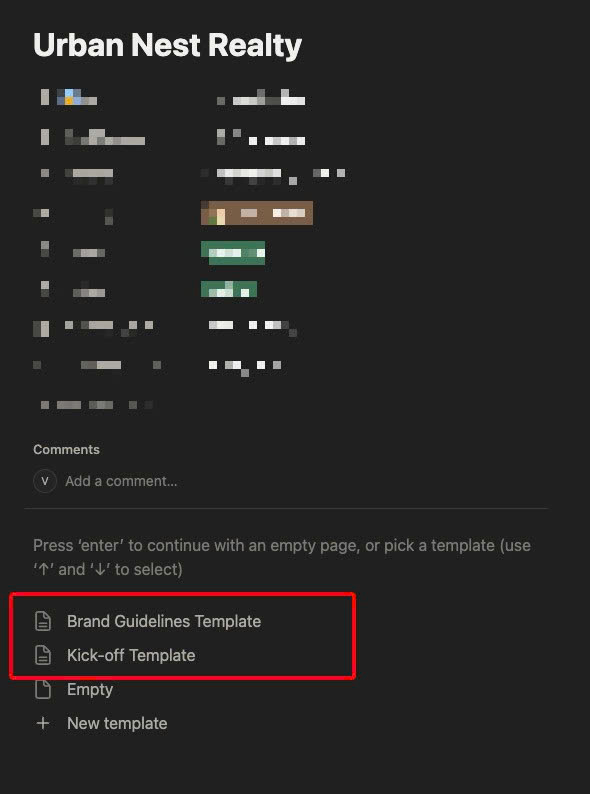
Once those are done, tasks shift to 🔍 Audit. Technical crawl, content inventory, competitor gap analysis. Everything in the Audit sprint is diagnostic – you’re not recommending anything yet, you’re just understanding the baseline.
Month two is 🧠 Strategy and ✍️ Keyword + Content Planning. This is where the actual SEO work starts. Keyword clustering, topic prioritisation, brief writing. By the end of this sprint, the client should have a content calendar and a clear sense of what the next six months look like.
From month three onwards, most tasks split between 🔗 Link Building and 🔁 Ongoing. The Ongoing sprint is specifically for recurring work – weekly rank checks, monthly content updates, regular crawl monitoring. Tagging these separately stops them from cluttering sprint review when you’re trying to focus on what’s actually new.
📊 Reporting appears at the end of every month. Filter by this sprint and you see exactly what needs to happen before the client call: report draft, rankings summary, traffic analysis, recommendations for next month.
The honest limitations
A few things this system doesn’t do well.
Time tracking is manual. Duration fields in the Sprint Board calculate from the due date range, not from actual time logged. If you want real time tracking, you need a separate tool – Toggl, Harvest, or similar – and accept that the integration is manual.
Notifications require a third-party tool. Notion doesn’t push alerts when a task goes overdue. The Deadline formula surfaces the information, but you have to open the board to see it. If you want proactive alerts, you’d need Make or Zapier to watch the database and send a Slack message when something turns red.
The client relation in the Sprint Board is a real Notion relation, which means it works within the same workspace. If you duplicate the template into a different workspace, you’ll need to re-link the relation – about two minutes of setup, but worth knowing upfront.
Is it worth switching from spreadsheets?
Depends on how many clients you’re managing.
For one or two clients, a well-structured Google Sheet is genuinely fine. The overhead of maintaining a Notion system isn’t worth it at that scale.
For three or more clients, especially with a team, the relation system starts paying off. The ability to filter all tasks by client, sprint, type, and deadline – across every engagement at once – is something spreadsheets can’t replicate without a lot of formula work that breaks constantly.
The sprint taxonomy is what actually changed how I work. Having a label that tells me where an engagement is in its lifecycle – not just what tasks are open – made sprint reviews faster and client conversations clearer. It’s easier to explain to a client that you’re in the Strategy phase than to walk them through a list of 40 tasks in various states of completion.
The template
I packaged the full system as a Notion template. It includes all five databases with demo data – four fictional clients across healthcare, SaaS, real estate, and beauty – so you can see how everything connects before you clear it out and add your own.
Setup takes under 10 minutes. The Start Here guide inside the template walks through each step: add your clients, set up your team, tag your first sprint tasks, and run your first weekly audit.
It’s on Gumroad for $20.
If something doesn’t fit your setup or you want to adapt it for a different type of SEO operation – eCommerce, local, SaaS – feel free to reach out at pvhien.com.
Author Profile

- I’m an SEO Manager with 7+ years of experience helping brands grow through data-driven strategies. Passionate about the intersection of search, content, and technology, I blend technical SEO, analytics, and creativity to drive performance and build meaningful digital experiences.
Latest entries
 BlogApril 18, 2026How to Set Up Meta Pixel Events on Haravan via GTM?
 BlogApril 11, 2026How I Use Query Fan-Out to Write Better Content (And Built a Tool for It)
 BlogApril 11, 2026I Managed 40+ SEO Clients. Google Sheets Broke. Here’s the Notion Template I Built to Fix It.
 BlogMarch 29, 2026I Built an Agency Website in Bricks Builder as a Non-Developer. Here’s What Happened.